
Shopify Emails Going to Spam? The Deliverability Checklist for Store Owners
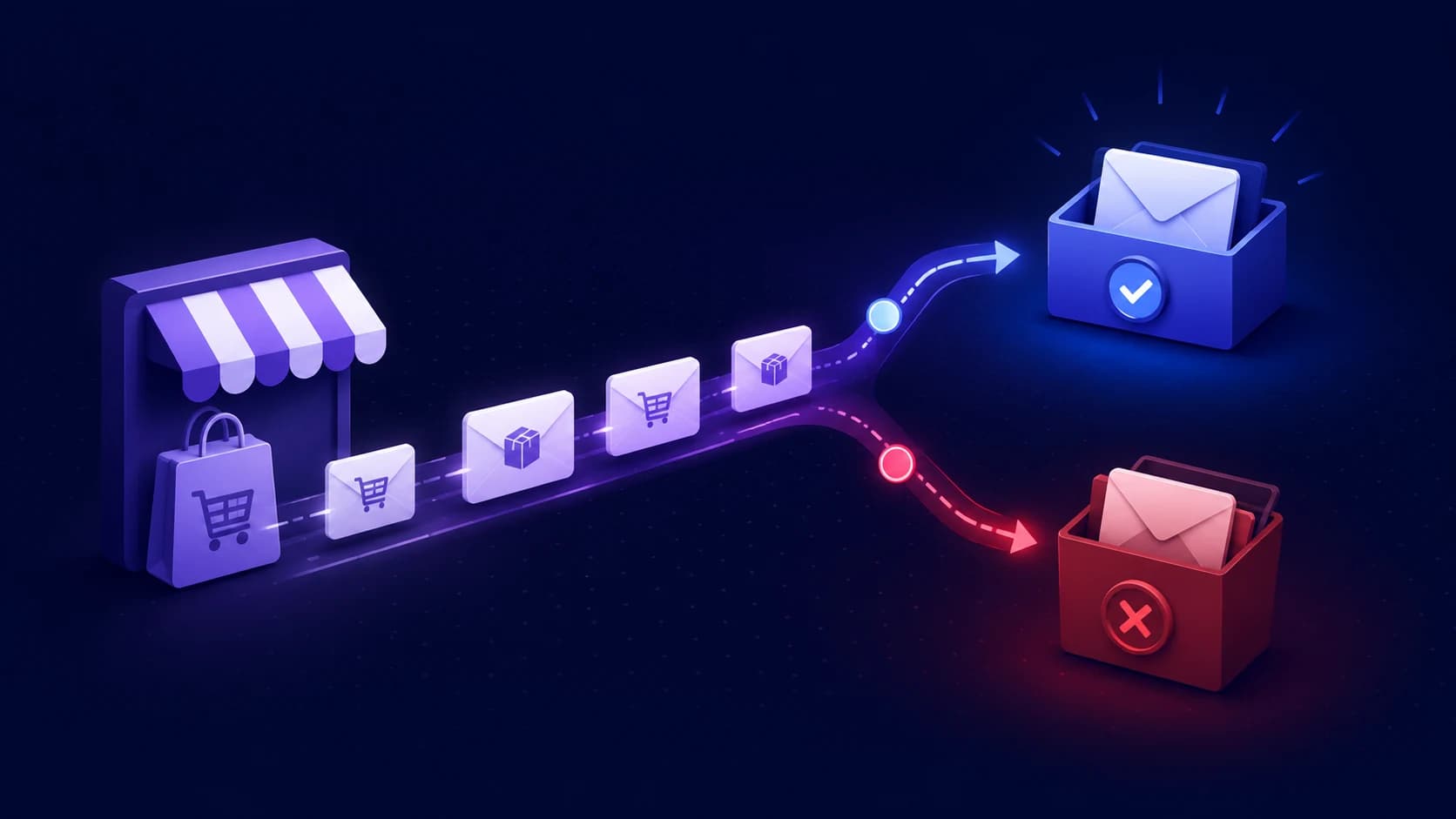
Short answer: Shopify email usually lands in spam because the sender domain isn’t authenticated, the domain has a reputation problem (complaints, bounces or a blacklist listing), or the list is stale or low-intent. Authenticate your sender domain under Settings → Notifications → Sender email, add a DMARC record at p=none, check blacklists, and clean the list before you rewrite subject lines.
When Shopify emails go to spam, the cost rarely shows up as one neat error message. It shows up as abandoned checkout revenue that never recovers, product-launch campaigns with flat clicks, VIP customers who miss back-in-stock alerts, and support tickets from people who never saw their order confirmation. The campaign may look "sent" inside Shopify, Klaviyo, Omnisend, or another email platform, but sent is not the same as seen.
Most store owners start by rewriting subject lines. Sometimes that helps, but it is usually not the first place to look. Inbox placement is decided by a chain of signals: your sender domain, SPF, DKIM, DMARC, blacklist status, engagement, complaint rate, list quality, send volume, and the relationship between your marketing and transactional emails. If one link breaks, even good emails can quietly land in spam.
This checklist is built for Shopify operators, not mail admins. Work through it in order. You will know whether you have a technical authentication problem, a reputation problem, a list-quality problem, or a campaign problem before you spend another week guessing.
The quick diagnosis
A Shopify email deliverability problem usually falls into one of four buckets:
- Authentication: Gmail, Yahoo, Outlook, and corporate filters cannot confidently verify that the email is allowed to come from your domain.
- Reputation: Your domain or sending IP has weak engagement, too many complaints, too many bounces, or a blacklist hit.
- Audience quality: You are emailing stale, purchased, scraped, or low-intent contacts who do not open, click, buy, or want the email.
- Message quality: The content, offer, formatting, or unsubscribe experience makes the email look risky to filters or recipients.
The order matters. Fix the foundation first. A beautiful campaign sent from an unauthenticated or blacklisted domain is still a bad bet.
Why Shopify email is different
A Shopify store rarely has one email stream. You may have Shopify notifications for order confirmations, Shopify Email or Shopify Messaging for campaigns, Klaviyo for flows, a support desk for replies, a review app, a loyalty app, and a transactional sender for custom receipts or back-in-stock alerts. Each app can touch your customer relationship, and several of them may need permission to send as your branded domain.
That is why "my emails go to spam" is too broad. You need to know which stream is failing. Is it promotional campaigns? Abandoned checkout? Order confirmations? Customer support replies? A welcome flow in Klaviyo? A single broken DNS record can affect several of them, but a bad campaign to an old list may only hurt marketing mail.
Start with a simple map. Write down every system that sends email to customers, the From address it uses, whether it sends marketing or transactional mail, and which domain or subdomain it authenticates. If you cannot list that from memory, your deliverability risk is already higher than it needs to be.
Step 1: verify your Shopify sender domain
Your sender email is the customer-facing From address Shopify uses for store notifications, order emails, and marketing sent from your store. Shopify's own documentation says third-party domains need authentication records to keep branded email from being rewritten or flagged. In plain English: if you want emails to come from support@yourstore.com instead of a platform-owned fallback address, your DNS has to prove that Shopify is allowed to send for you.
In Shopify, check Settings → Notifications → Sender email. If Shopify asks you to authenticate your domain, do it before sending another campaign. For third-party domains, Shopify provides CNAME records that handle SPF and DKIM for the sender email. Add every record exactly as shown, then wait for DNS propagation and verify again.
Do not add random SPF TXT records just because a forum said to. Shopify's current sender authentication flow uses CNAME records for SPF and DKIM. Adding extra SPF records can create a duplicate-record problem, and SPF allows only one record at the root. If you already use Google Workspace, Klaviyo, SendGrid, or another sender, your SPF setup needs to include all legitimate senders in one valid record. Our plain-English SPF, DKIM, and DMARC guide explains how the pieces fit together.
Step 2: add DMARC without breaking your mail
Since February 2024, Gmail and Yahoo have pushed senders toward stronger authentication, and bulk senders need SPF, DKIM, and DMARC in place. Shopify also notes that branded sender domains need authentication and a DMARC record. If you skip this, your sender address may be rewritten to a platform-owned address so messages can continue sending under the minimum requirements.
A safe starter DMARC record looks like this:
v=DMARC1; p=none; rua=mailto:dmarc@yourstore.comPublish it as a TXT record at _dmarc.yourstore.com. The p=none policy monitors without blocking, which is the right starting point for most stores. Once you confirm that Shopify, Klaviyo, your support desk, and every other legitimate sender passes alignment, you can move toward p=quarantine and eventually p=reject.
The common mistake is adding a second DMARC record instead of updating the existing one. Two DMARC records can make DMARC fail entirely. Before you add anything, run a lookup with the free DMARC checker and confirm whether one already exists. If you are unsure what the reports mean, read how to read DMARC reports before tightening the policy.
Step 3: if you use Klaviyo, authenticate the sending domain
Many Shopify stores use Klaviyo for welcome flows, abandoned cart flows, browse abandonment, win-back, replenishment reminders, and campaigns. By default, a marketing platform may send through shared infrastructure. A branded sending domain lets inbox providers see your domain as the sender and helps build reputation around your brand instead of a generic shared domain.
In Klaviyo, this usually means creating a branded sending domain such as send.yourstore.com for marketing traffic. Klaviyo can generate DNS records for the sending subdomain, and you verify them before activating the domain. If you send multiple kinds of mail, keep the traffic separated: marketing campaigns and flows on a marketing domain, transactional messages such as order updates on a transactional domain, and service replies on a service domain if your support tooling needs it.
This separation matters because marketing risk should not spill into receipts and order updates. A low-engagement sale blast to an old list can hurt reputation. Your order confirmation should not have to share that blast radius.
Step 4: check blacklist status before blaming the template
If campaigns suddenly tank across providers, check reputation before changing creative. A blacklisting can make email land in spam or get blocked even when SPF, DKIM, and DMARC are technically correct. It can happen after a complaint spike, a compromised account, a bad imported list, or shared infrastructure with poor reputation.
Run your domain through the free email deliverability checker. It checks SPF, DKIM, DMARC, MX, and major blacklist status in one report. If a list flags you, follow the cleanup sequence in our domain blacklist delisting guide: fix the cause, clean the list or compromised sender, request removal, and verify afterward.
Do not request delisting before fixing the cause. If the same behavior continues, you can be listed again, and the second recovery is usually harder.
Step 5: protect your highest-value flows first
Not every Shopify email has the same business value. Before you optimize a newsletter, protect the flows that recover or preserve revenue:
- Abandoned checkout and abandoned cart emails
- Order confirmation, shipping, and delivery updates
- Back-in-stock and price-drop alerts
- Post-purchase education and review requests
- Subscription renewal, failed-payment, and replenishment reminders
- VIP, loyalty, and early-access campaign segments
A simple revenue test makes the priority obvious. If your abandoned checkout flow usually recovers $20,000 per month and inbox placement drops by 15%, you are not looking at a vague deliverability problem. You are looking at a potential $3,000 monthly leak before counting the long-term effect on repeat purchase and customer lifetime value.
Step 6: clean the list that is teaching inboxes to distrust you
Inbox providers learn from recipient behavior. Opens are imperfect, but clicks, replies, purchases, spam complaints, deletes, bounces, and unsubscribes all feed the reputation picture. If you keep sending to contacts who have ignored you for a year, you are training providers that your mail is unwanted.
For a Shopify store, list quality problems often come from aggressive popups, unchecked consent boxes, giveaway traffic, discount seekers who never buy, old customer imports, and purchased lists. Shopify explicitly warns that buying lists can damage reputation and deliverability. The fix is not glamorous, but it works:
- Suppress hard bounces and repeated soft bounces automatically.
- Segment recent buyers, recent engagers, and high-intent subscribers.
- Sunset subscribers who have not clicked, purchased, or engaged.
- Use double opt-in for risky acquisition sources.
- Keep giveaway entrants out of your main promotional list until they engage.
The goal is not the biggest possible list. The goal is the biggest list that still wants your emails. That list makes paid acquisition more profitable because more first-time buyers actually see the retention emails that turn them into repeat buyers.
Step 7: fix the campaign signals that look like spam
Once authentication and reputation are healthy, inspect the email itself. Spam filters and recipients both respond badly to the same patterns:
- Misleading subject lines that imply a reply, invoice, or urgent alert
- Heavy image-only emails with little real text
- Too many links, link shorteners, or mismatched tracking domains
- Promotional content mixed into transactional messages
- A hidden, broken, or confusing unsubscribe path
- Sending every campaign to everyone instead of a relevant segment
Ecommerce teams often overuse urgency because it works in ads. In email, urgency without relevance becomes complaint fuel. Send the sale to people likely to care, keep the sender identity consistent, make the unsubscribe path obvious, and reserve transactional messages for transactional content. Gmail's sender guidelines specifically warn against mixing different categories of content in one message, such as putting promotions inside receipts.
Step 8: warm up after migrations and big volume changes
New sending domains, newly registered domains, and major ESP migrations need a ramp. Do not connect a fresh branded sending domain on Monday and blast your whole list on Tuesday. Start with your most engaged customers, send consistently, and increase volume as engagement stays healthy.
This matters most before high-volume moments: product launches, holiday promos, Black Friday, Cyber Monday, inventory drops, or a migration from one email platform to another. If you are changing infrastructure and creative at the same time, isolate the risk. Warm the sending domain first, then test the new templates with engaged segments, then scale.
For a practical ramp model, use our email warm-up guide. The numbers will vary by store, but the rule does not: prove wanted mail at low volume before asking inbox providers to trust you at high volume.
Step 9: monitor DNS and reputation after every app change
Shopify stores change constantly. Someone adds a reviews app. The agency connects a new ESP. Support moves from Gmail to a helpdesk. A developer edits DNS for a subdomain. A payment or subscription app starts sending notifications. Each change can affect SPF, DKIM, DMARC, link tracking, or reputation.
This is where one-time checklists fail. Authentication can be correct in June and broken in July. A domain can be clean on Monday and blacklisted on Wednesday. A DMARC record can be duplicated by accident. A DKIM key can disappear during a provider migration. By the time revenue reports show a drop, the damage has already been running for days.
Use Zeqo Mail as the safety net. Add your store domain once, and Zeqo checks SPF, DKIM, DMARC, and blacklist status every day. When something changes, you get a plain-English alert with the exact fix, plus a weekly health digest you can share with the team or agency. It will not write your campaigns or run your Klaviyo strategy; it keeps the domain foundation underneath those growth programs from breaking silently.
A Shopify deliverability checklist you can run today
- List every app and platform that sends customer email.
- Confirm each sender uses the right From address and domain.
- Authenticate your Shopify sender email with the records Shopify provides.
- Verify SPF, DKIM, and DMARC with a real domain check, not guesswork.
- Use one DMARC record only, starting at
p=none. - Authenticate your Klaviyo or ESP branded sending domain.
- Separate marketing, transactional, and service mail where possible.
- Check blacklist status before rewriting subject lines.
- Suppress stale, bouncing, and unengaged contacts.
- Warm new domains and new infrastructure gradually.
- Monitor your setup after every DNS, ESP, or app change.
FAQ
Why are my Shopify emails going to spam?
The most common causes are missing or broken sender authentication, weak domain reputation, blacklist listings, low engagement, high spam complaints, stale lists, or campaign content that looks misleading. Start by checking SPF, DKIM, DMARC, and blacklist status before changing the email copy.
Do Shopify stores need DMARC?
Yes. If you send branded email to customers, DMARC is now part of the expected authentication baseline, especially for Gmail and Yahoo recipients. Start with p=none while you confirm all legitimate senders pass, then tighten later.
Why are my Klaviyo emails going to spam?
Klaviyo emails can land in spam when the branded sending domain is not authenticated, the domain is new and unwarmed, the list has poor engagement, complaints or bounces are high, or marketing traffic shares reputation with more critical transactional streams.
Should I use a separate domain for abandoned cart emails?
You do not always need a separate root domain, but you should understand which domain or subdomain sends abandoned cart mail and how it is authenticated. Larger stores often separate marketing and transactional traffic so a risky campaign does not damage order and lifecycle emails.
How often should I check Shopify email deliverability?
Check before major campaigns, after every DNS or ESP change, and whenever open rates, clicks, or recovered revenue drop unexpectedly. If email drives meaningful revenue, daily monitoring is safer because DNS and blacklist status can change without warning.
Conclusion
Shopify emails going to spam is not just an email problem. It is a profitability problem. Paid traffic becomes less efficient when welcome and abandoned cart flows disappear. Retention weakens when replenishment and post-purchase messages miss the inbox. Support load rises when customers do not see order updates.
Fix it in the right order: authenticate the sender domain, add DMARC safely, verify every ESP, check blacklists, protect your revenue flows, clean the list, improve the campaign, and warm changes gradually. Then keep watching, because deliverability is not a one-time setup task.
Start with the free Zeqo email deliverability checker. If the domain matters to your store's revenue, let Zeqo Mail monitor it every day so you catch the quiet breakages before your customers, campaigns, or revenue reports do.
Check your domain in seconds
Enter any domain to instantly check its email sending setup — SPF, DKIM, DMARC, blacklist reputation, and more. We follow your real sending configuration, even on subdomains.